
 EN
EN



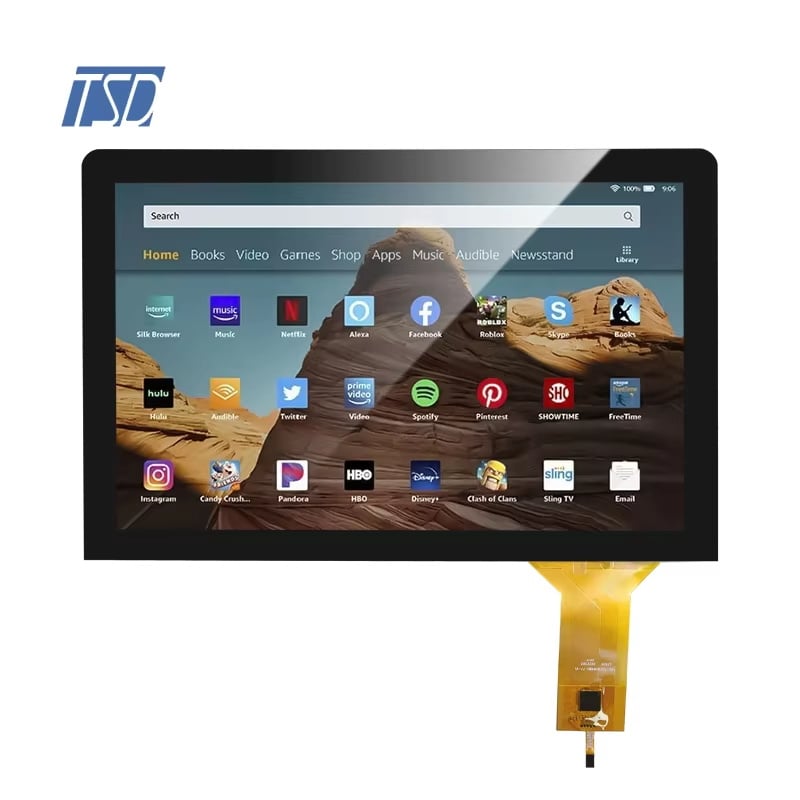
Integrating a PCAP touch screen panel into an interactive signage system is one of the most impactful decisions a display engineer or product developer can make. The PCAP touch screen panel delivers projected capacitive sensing that recognizes multi-touch gestures with high accuracy, making every interaction feel immediate and responsive. As digital signage evolves from static displays to fully interactive experiences, the PCAP touch screen panel has become the preferred hardware foundation for kiosks, wayfinding terminals, retail displays, and public information boards.

This article addresses how to successfully integrate a PCAP touch screen panel into interactive signage hardware, covering the electrical interfaces, mechanical mounting considerations, display module selection, and calibration workflow. Whether you are designing a new signage terminal or upgrading an existing display, understanding how a PCAP touch screen panel connects to the host system is critical for ensuring reliable, long-term performance in public-facing environments.
Understanding the PCAP Touch Screen Panel Architecture
How the PCAP Touch Screen Panel Detects Input
A PCAP touch screen panel uses a grid of transparent conductive electrodes embedded beneath the protective glass surface. When a finger or conductive stylus approaches, the PCAP touch screen panel detects the change in capacitance at each electrode intersection. The controller chip inside the PCAP touch screen panel processes these signals and reports touch coordinates via a digital interface to the host system. This architecture allows the PCAP touch screen panel to track multiple simultaneous touch points, which is essential for pinch, zoom, and swipe gestures in modern signage applications.
Display Module and Overlay Integration
Most interactive signage builds use a PCAP touch screen panel bonded directly to the TFT LCD module, either through optical bonding or mechanical framing. Optical bonding eliminates the air gap between the PCAP touch screen panel and the display, which significantly improves contrast and readability in bright ambient environments like retail floors or transit stations. A mechanically framed PCAP touch screen panel is easier to service individually but may show parallax under certain viewing angles. When selecting a PCAP touch screen panel module for signage, the bonding method must match the environmental brightness and serviceability requirements of the deployment.
Interface Options for PCAP Touch Screen Panel Integration
USB Interface for Rapid Prototyping and Signage Terminals
The USB interface is the most common connection method for a PCAP touch screen panel in interactive signage. A PCAP touch screen panel with USB HID output is plug-and-play compatible with most operating systems including Linux, Windows, and Android. This significantly reduces driver development time when deploying a PCAP touch screen panel across multiple signage units. The USB PCAP touch screen panel reports absolute touch coordinates, which makes calibration straightforward during initial commissioning. For high-volume deployments, USB cabling and connector durability should be validated early, since a PCAP touch screen panel in a public kiosk experiences thousands of interactions daily.
I2C Interface for Embedded and Space-Constrained Designs
The I2C interface is preferred when integrating a PCAP touch screen panel into a compact embedded signage board where USB overhead is undesirable. With I2C, the PCAP touch screen panel communicates directly with the application processor using a two-wire bus, which reduces wiring complexity in tight enclosures. The PCAP touch screen panel controller sends raw touch data over I2C, and the host firmware handles coordinate mapping and gesture recognition. This approach gives developers full control over the PCAP touch screen panel behavior but requires more embedded software work. I2C-based PCAP touch screen panel integration is especially common in industrial signage terminals and medical information displays where custom firmware is already required.
LVDS Signal Path for the Display Component
In a combined display and touch module, the PCAP touch screen panel shares the enclosure with an IPS LCD connected via LVDS. The LVDS signal carries the video data from the display driver board to the TFT LCD, while the PCAP touch screen panel handles only the touch input over USB or I2C. It is important to route the LVDS cable away from the PCAP touch screen panel flex connector to prevent electromagnetic interference that can degrade touch sensitivity. Proper shielding between the LVDS path and the PCAP touch screen panel controller is a common requirement in signage enclosures that use metal housings.
Mechanical and Environmental Considerations for Signage Deployment
Mounting the PCAP Touch Screen Panel in a Signage Enclosure
The PCAP touch screen panel must be mounted with consistent, even pressure across the bezel to avoid stress on the sensor glass. Uneven mechanical pressure on a PCAP touch screen panel can distort the capacitance baseline, leading to false touches or reduced accuracy. Most PCAP touch screen panel modules include mounting holes or a defined bezel contact area that accepts silicone gasket sealing for dust and moisture resistance. For outdoor interactive signage, the PCAP touch screen panel should be rated for the relevant ingress protection level, typically IP65 or higher, to handle rain and cleaning agents without sensor degradation.
Glove and Stylus Operation for Public Environments
A standard PCAP touch screen panel is optimized for bare finger input, but many signage deployments in healthcare, industrial facilities, or cold climates require glove operability. Some PCAP touch screen panel controllers support a sensitivity adjustment mode that increases the detection threshold to recognize input through thin gloves. When specifying a PCAP touch screen panel for these environments, confirm that the firmware allows glove mode activation and that the PCAP touch screen panel glass thickness is compatible with the glove material. Stylus input via a conductive tip is also supported by most PCAP touch screen panel designs without firmware modification, making the PCAP touch screen panel versatile for signature capture or precision navigation in kiosk signage.
FAQ
What resolution and size is recommended for an interactive signage PCAP touch screen panel?
A PCAP touch screen panel at 10.1 inches with 1024x600 IPS resolution is a practical choice for mid-size kiosk signage. This PCAP touch screen panel size offers clear text rendering and is compact enough for wall-mounted or counter-top signage terminals. Larger formats are available, but the 10-inch class PCAP touch screen panel balances cost, visibility, and touch accuracy for most public signage use cases.
How do you calibrate a PCAP touch screen panel after installation?
A USB-connected PCAP touch screen panel typically requires no manual calibration since it reports absolute coordinates referenced to the display active area. For an I2C PCAP touch screen panel, the host firmware must apply a coordinate mapping offset based on the physical alignment between the PCAP touch screen panel sensor and the LCD active area. Running a calibration routine at first boot ensures the PCAP touch screen panel responds accurately to touches across the full screen surface.
Can a PCAP touch screen panel be used in direct sunlight for outdoor signage?
Yes, a PCAP touch screen panel can be deployed in direct sunlight when paired with an optically bonded high-brightness IPS display. The PCAP touch screen panel glass itself does not affect display brightness, but optical bonding between the PCAP touch screen panel and the LCD eliminates internal reflection that would otherwise wash out the image in sunlight. Selecting a PCAP touch screen panel with anti-glare coating further improves outdoor readability and user experience.