 ×
×
Home > News&Video > News
Explore how TSD's rotary knob display integrates with the STM32 ecosystem through STMicroelectronics' practical development guide.
Team Source Display (TSD) is pleased to share that STMicroelectronics has published a Getting Started Guide featuring our TSD 1.3-inch Round Rotary Knob Display.
Built around the STM32C091 microcontroller and supported by ST's TouchGFX development environment, the guide provides engineers with practical instructions for setting up the display, exploring demo projects, and developing customized graphical user interfaces.
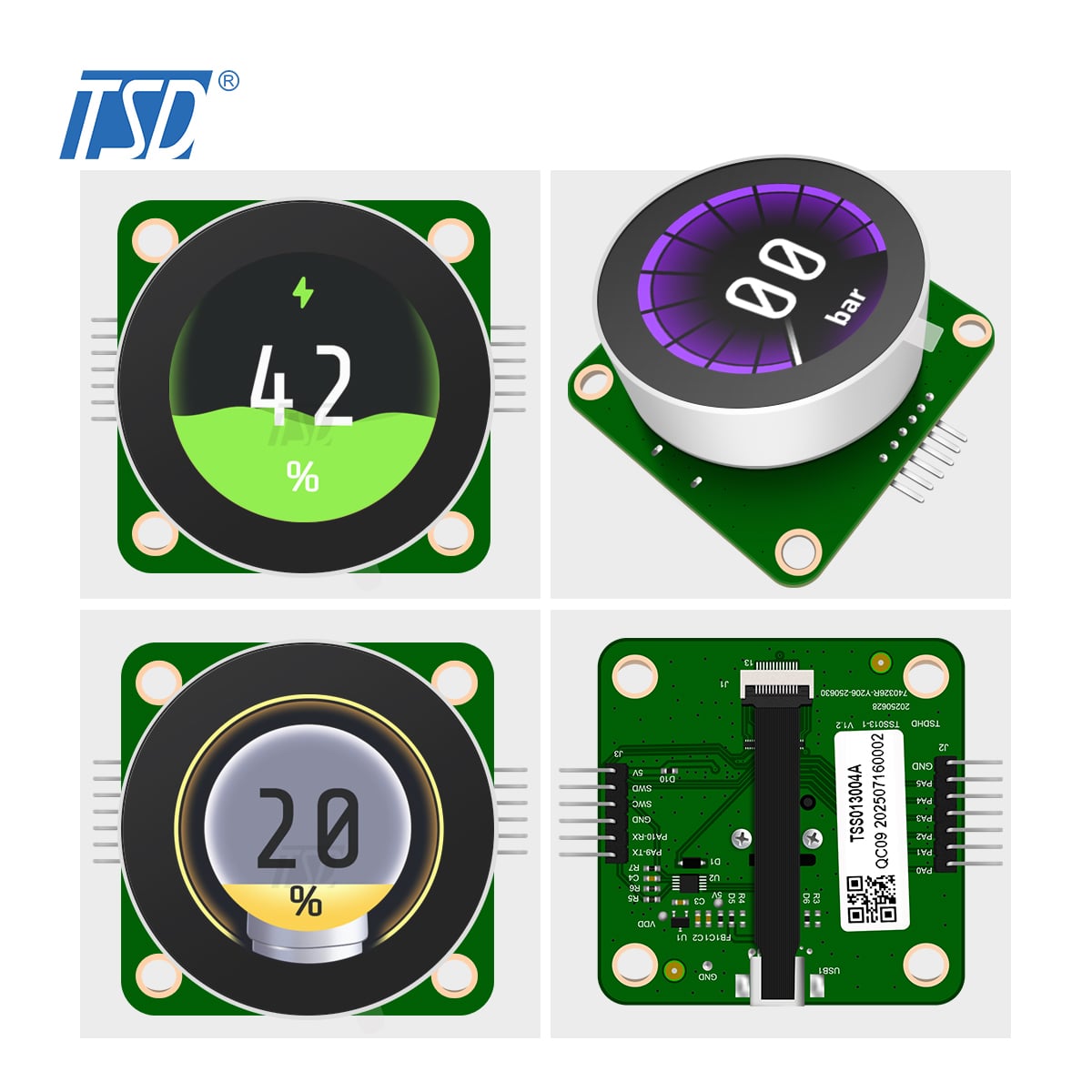
The TSD rotary knob display combines a round TFT LCD with a rotary encoder, bringing visual feedback and physical input together in a compact interface module.
Key hardware features include:
· 1.3-inch round TFT LCD with 240 × 240 resolutionSTM32C091 microcontroller
· STM32C091 microcontroller
· 64-Mbit SPI flashIntegrated rotary encoder
· Integrated rotary encoder
The combination of display, MCU, and rotary input makes the module a candidate for embedded interfaces that require intuitive physical control and graphical feedback.
The guide introduces the display hardware and its associated adapter board for programming and debugging.
It also covers the TouchGFX Board Setup (TBS) package available for the module. With the hardware configuration and partial framebuffer support in place, developers can begin building graphical applications while managing the memory constraints of embedded systems.
· Knob Demo Lite — Internal Flash
The Lite demo uses the STM32C091's internal flash, with a reported flash footprint of approximately 123 KB. It demonstrates a more memory-conscious approach to implementing a graphical interface.
· Knob Demo Prime — External Flash
The Prime demo uses external SPI flash, with approximately 1.37 MB allocated for graphical assets such as fonts and bitmaps. This configuration supports richer visual elements and more elaborate UI designs.
Together, these demos provide useful starting points for developers evaluating different UI and memory configurations.
Beyond the provided demos, developers can use TouchGFX Designer to create their own graphical interfaces and interactions.
The guide also outlines how to adapt the available TouchGFX Board Setup when developing custom STM32C0-based hardware, including considerations for display resolution, display drivers, SPI flash, and encoder input.
This gives engineers a reference point for moving from an initial demonstration toward application-specific UI development.
For product designers and embedded engineers, display integration involves more than selecting a screen. Hardware configuration, memory resources, software support, and user interaction all influence the development process.
By combining TSD's rotary knob display with ST's TouchGFX development resources, engineers can explore an integrated hardware and software approach to embedded HMI design.
The module may be suitable for applications such as smart control interfaces, IoT devices, and industrial equipment, depending on the specific project requirements.
For developers evaluating rotary knob displays, the ST guide offers a practical resource for understanding the module's hardware and beginning the UI development process.
Ready to explore the TSD Rotary Knob Display? Access the official ST development guide and related resources below.
Access the Full Guide:
Guide: how to get started with TSD Knob display and TouchGFX
Get Started:
For engineers exploring rotary knob interfaces, the ST guide offers a useful starting point for evaluating the TSD display module and its TouchGFX development workflow.
To learn more about the TSD Rotary Knob Display, contact the TSD team or explore our smart LCD module range.

 EN
EN



 Hot News